✦ v2.1 Now Available

Your cruise offers,
finally organized

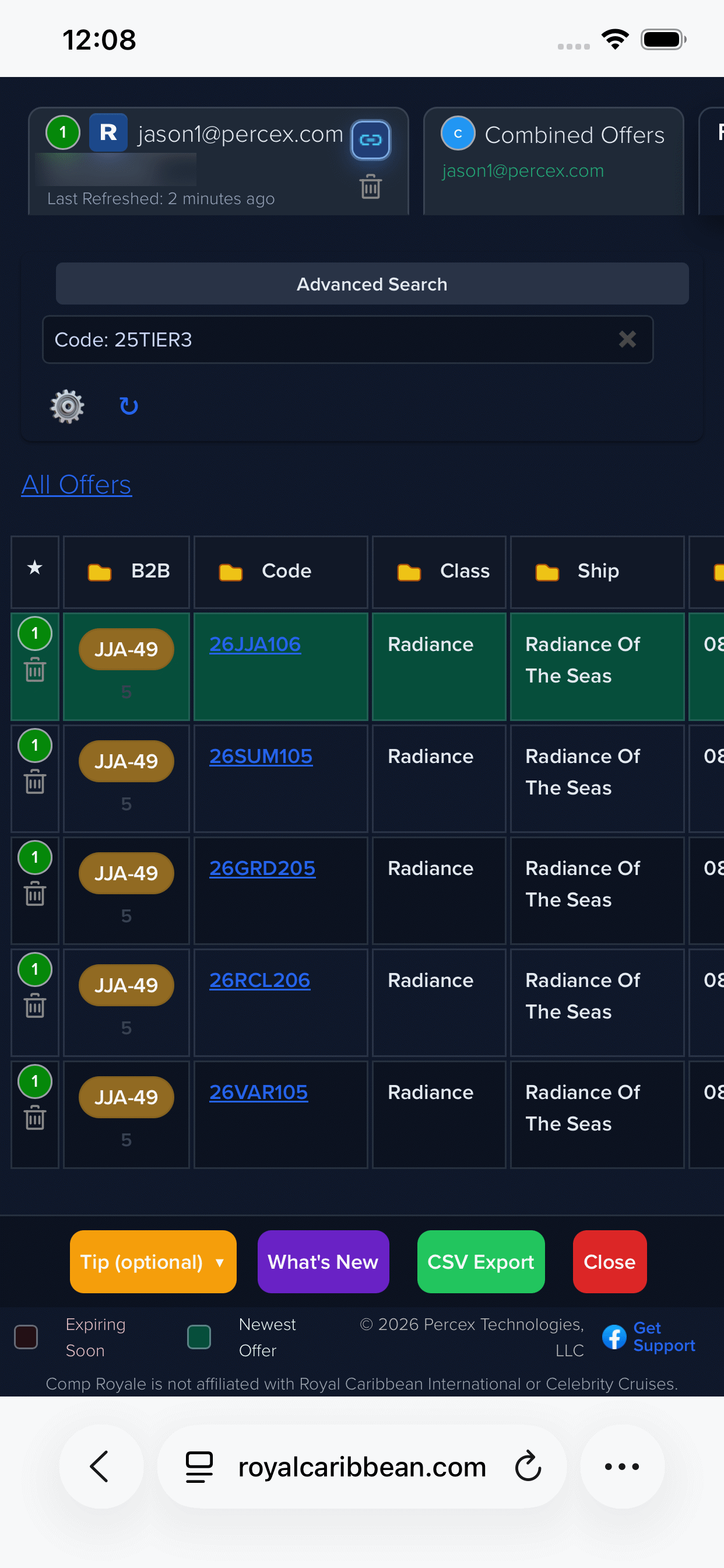
Comp Royale transforms the Royal Caribbean and Celebrity comp offer pages into a sortable, filterable power table — with multi-profile tabs, upgrade pricing, B2B Builder, dark mode, and zero tracking.

Royal Caribbean Celebrity Cruises Multi-Profile Combined Offers B2B Builder Dark Mode Advanced Search Zero Tracking Upgrade Pricing Favorites

Support: admin@comproyale.com  ·  GitHub
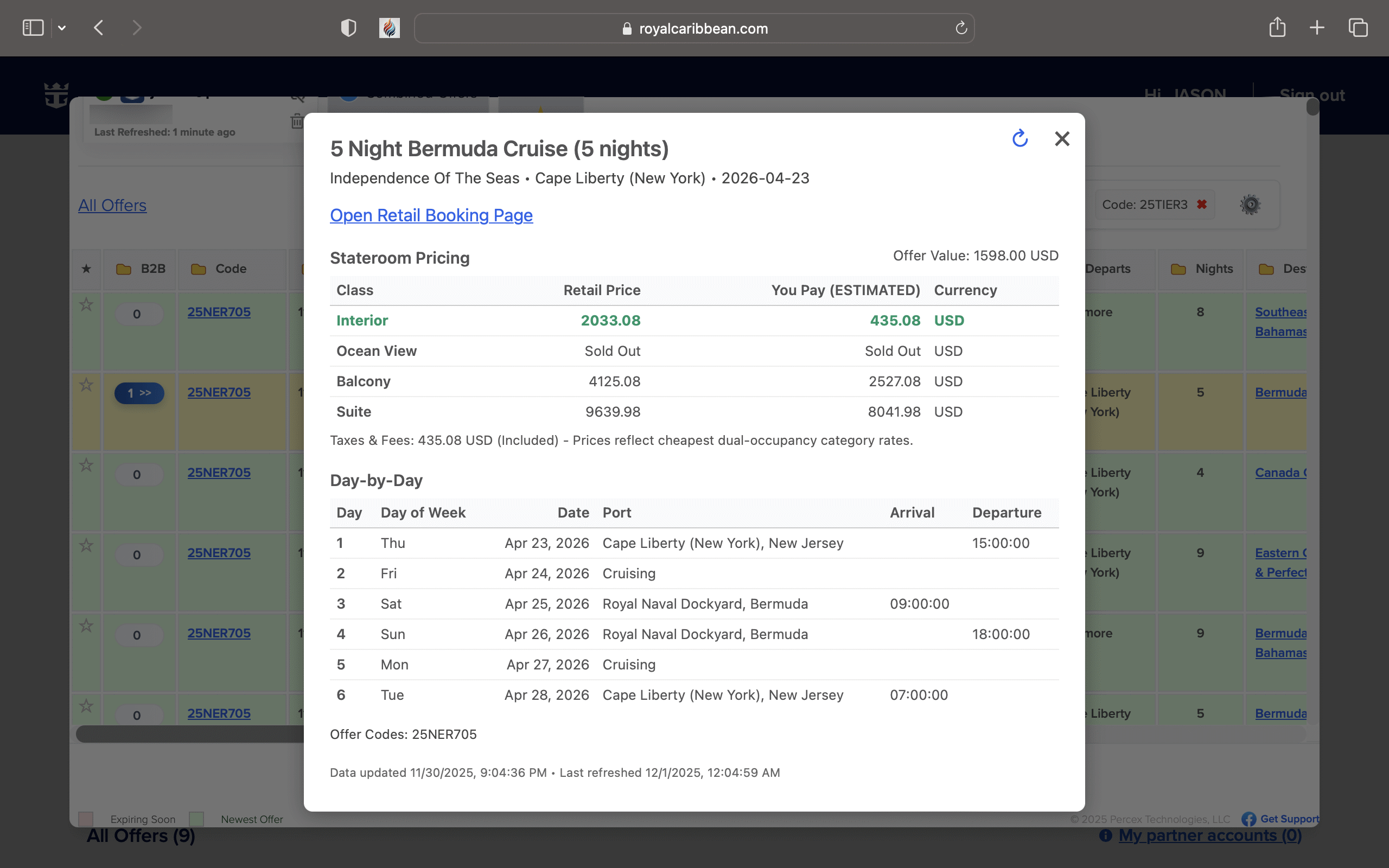
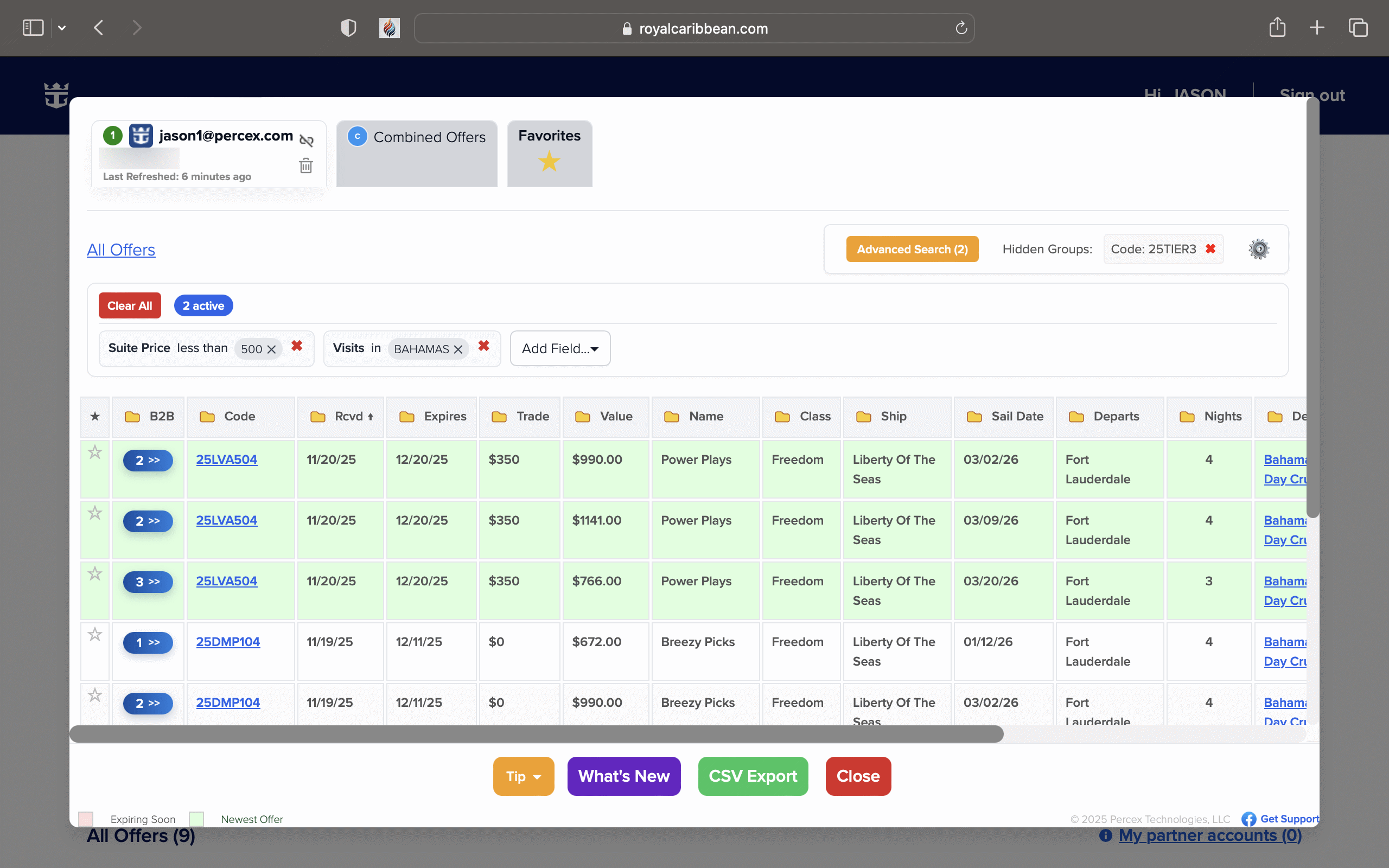
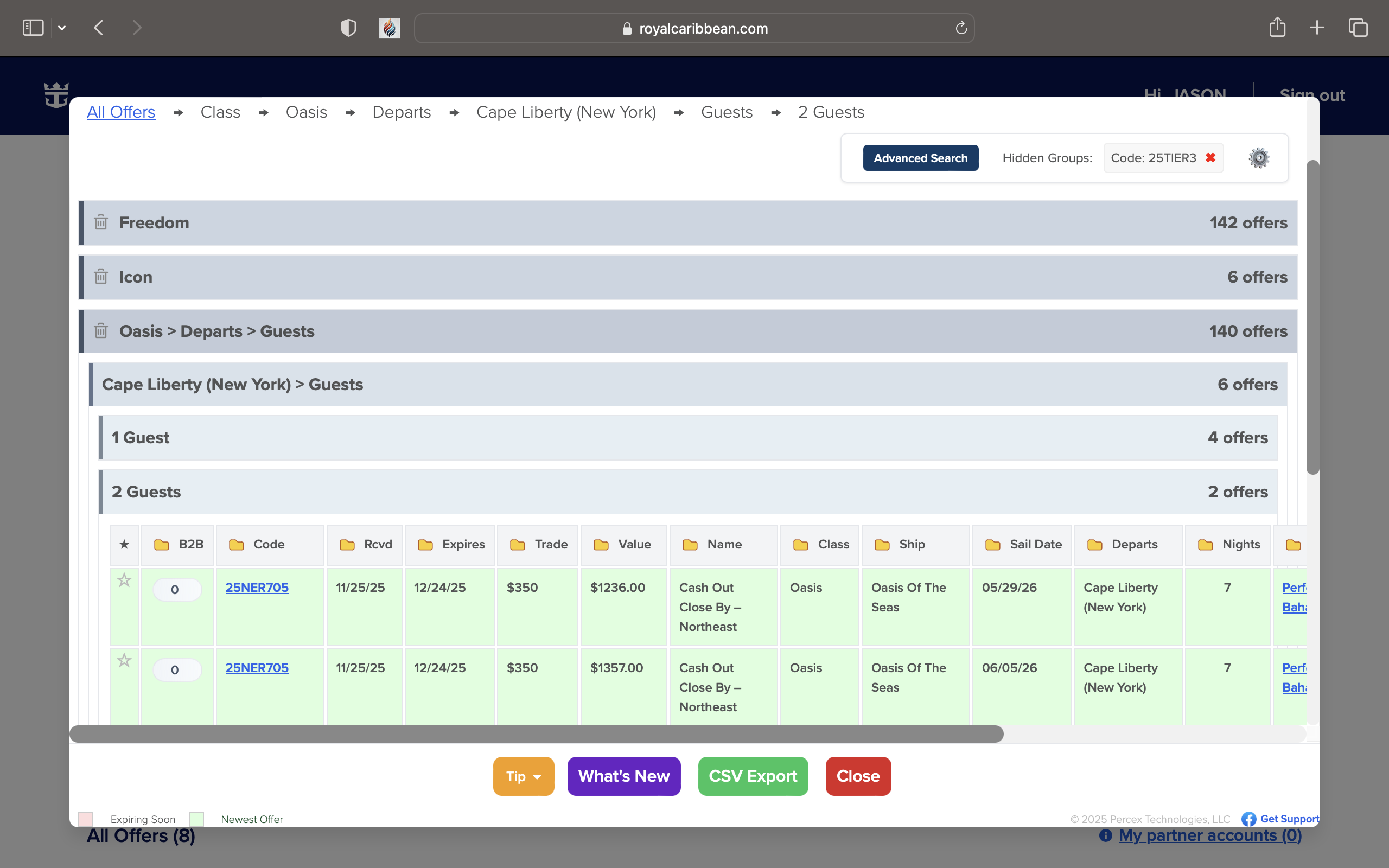
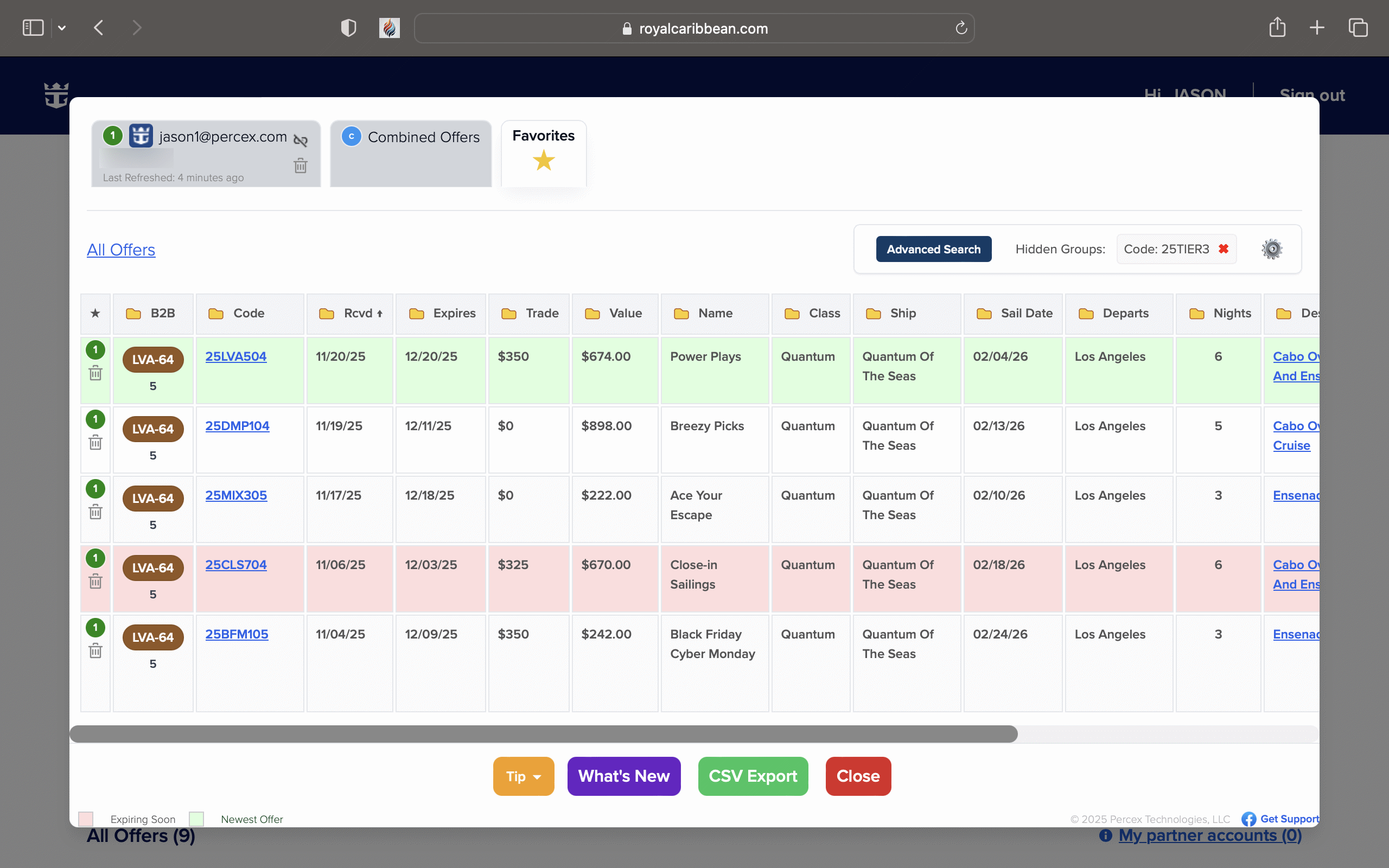
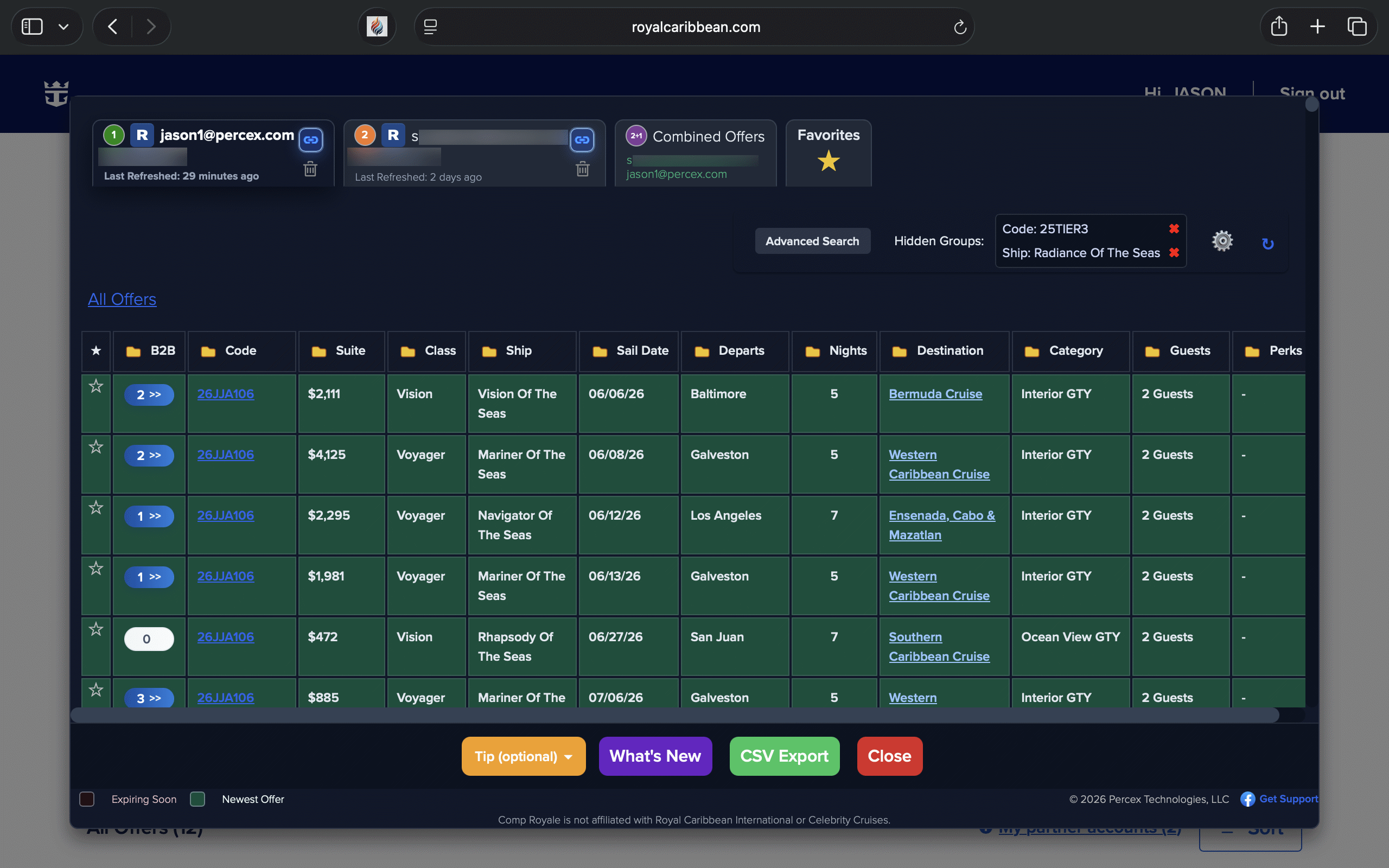
Comp Royale offers table on MacBook — sortable rows, profile tabs, upgrade columns
20+
Sortable Columns
2
Cruise Lines Supported
4
Platforms
0
Data Sent Externally
Release

What's New in v2.1

The biggest update yet — dark mode, per-category pricing columns, solo booking, smarter B2B connections, and more.

🌙

Dark Mode

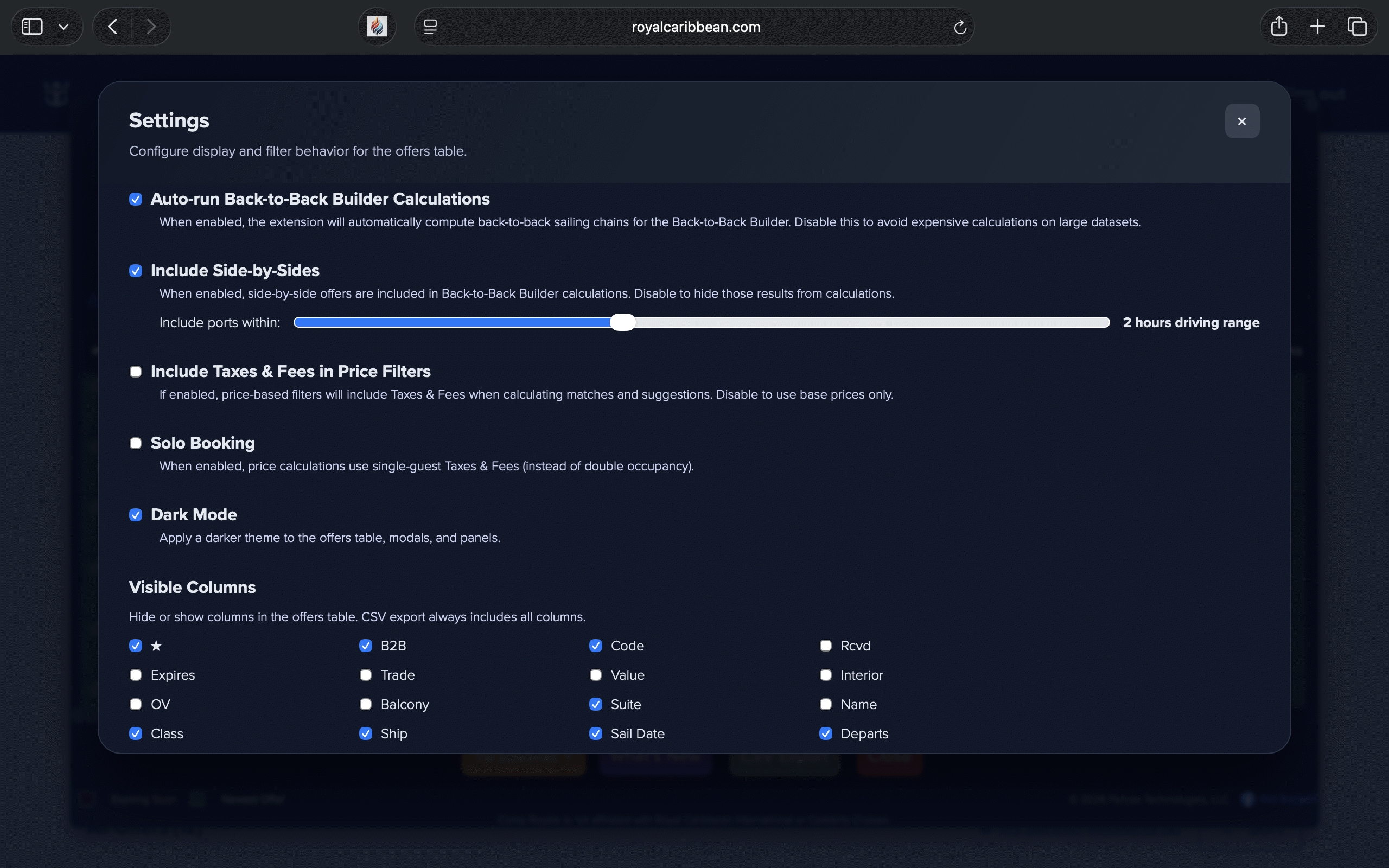
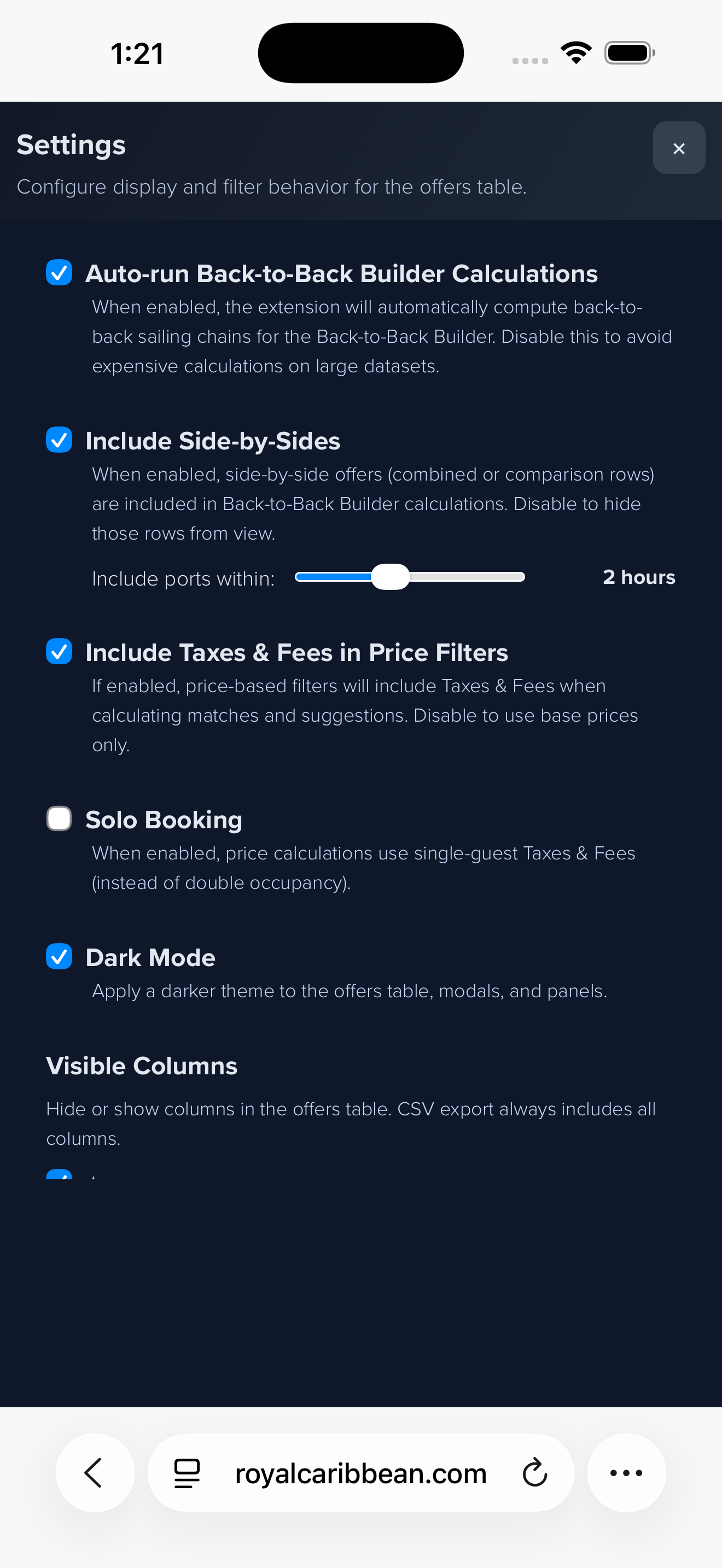
Toggle dark mode for the offers table, modals, and panels from the Settings gear.

👁️

Visible Columns

Hide or show columns in the table to reduce clutter. CSV export still includes every column.

🛳️

Interior / OV / Balcony / Suite

New per-category columns show estimated "You Pay" pricing for each stateroom type.

💰

Pricing Tooltips

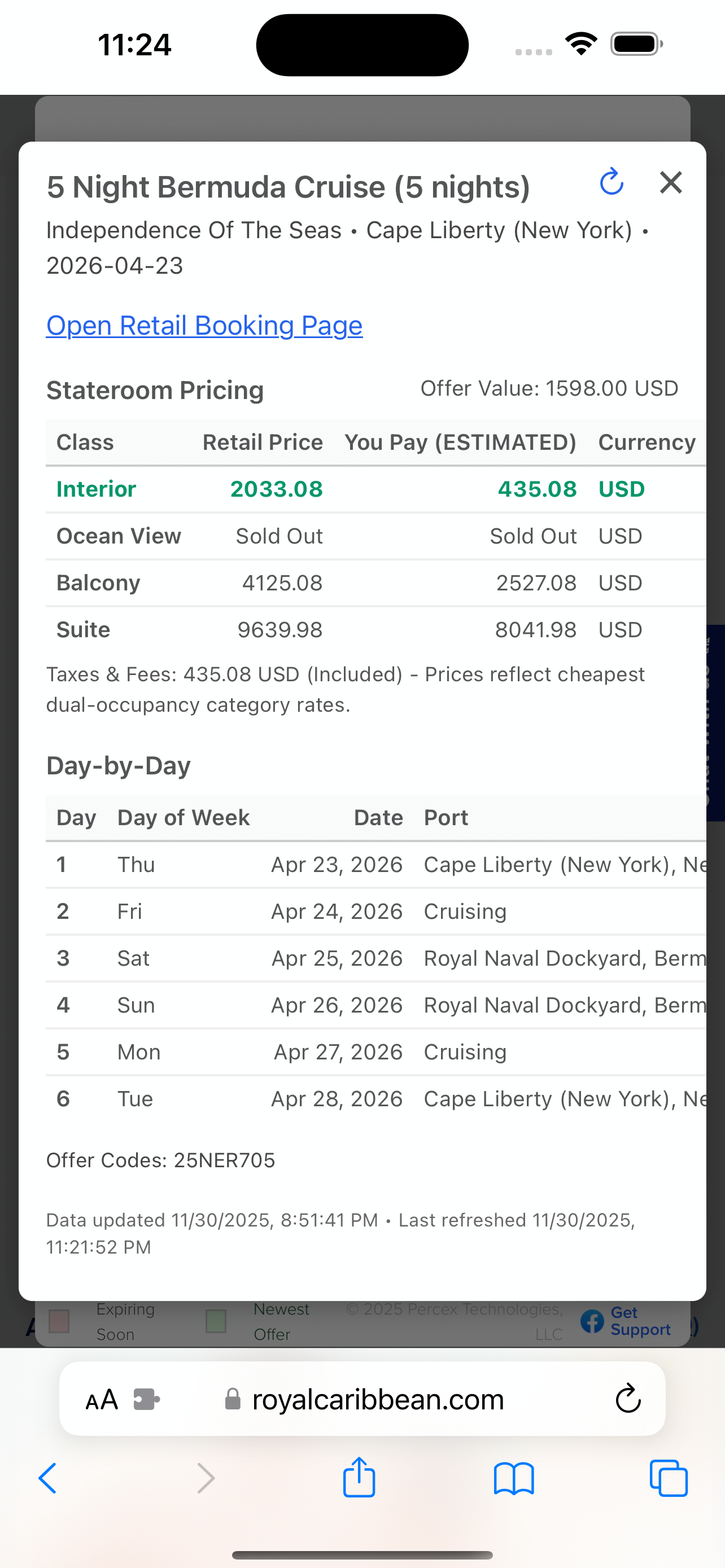
Tap any "You Pay" value in the itinerary popup for a full pricing breakdown.

👤

Solo Booking Mode

Enable in Settings to use single-guest taxes & fees when calculating upgrade prices.

🗺️

Side-by-Side Driving Range

Allow same-day B2B connections between nearby ports based on average drive times.

🔄

Itinerary Refresh

New refresh icon reloads itineraries and recalculates pricing without reopening the panel.

🔍

Advanced Search Price Filters

Filter by Interior, OV, Balcony, or Suite estimated "You Pay" directly in Advanced Search.


How it works

From messy tiles to a power table

Everything stays local. The extension converts your offer page into structured data so you can compare, filter, and act fast.

1

Open Offers

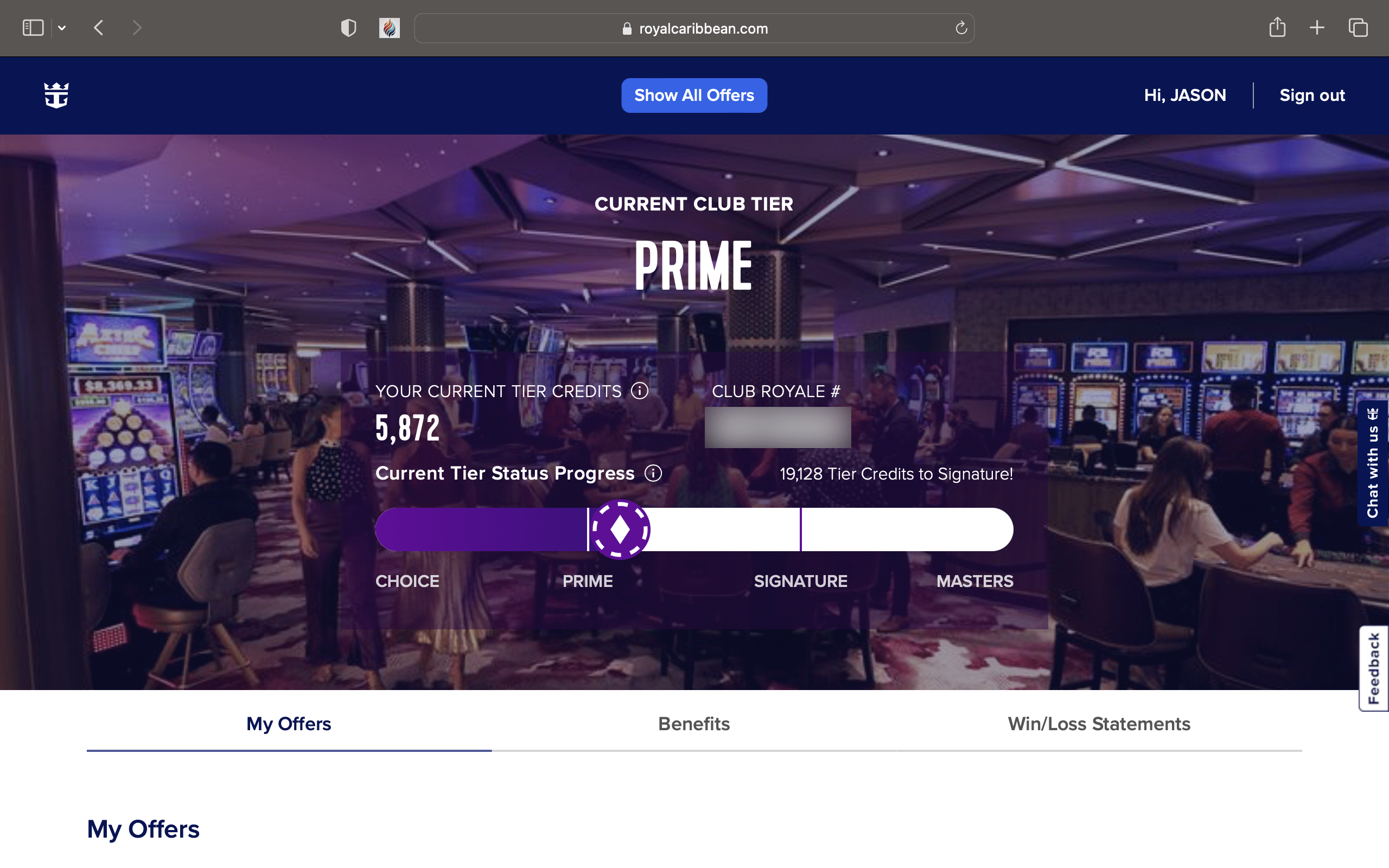
Sign into Royal Caribbean or Celebrity and open your offers page. Click the injected Show All Offers button to load the panel.

2

Compare Fast

Sort by any column, group by ship, destination, or date. Filter by upgrade price, sail date, tier, or any field using Advanced Search.

3

Go Deeper

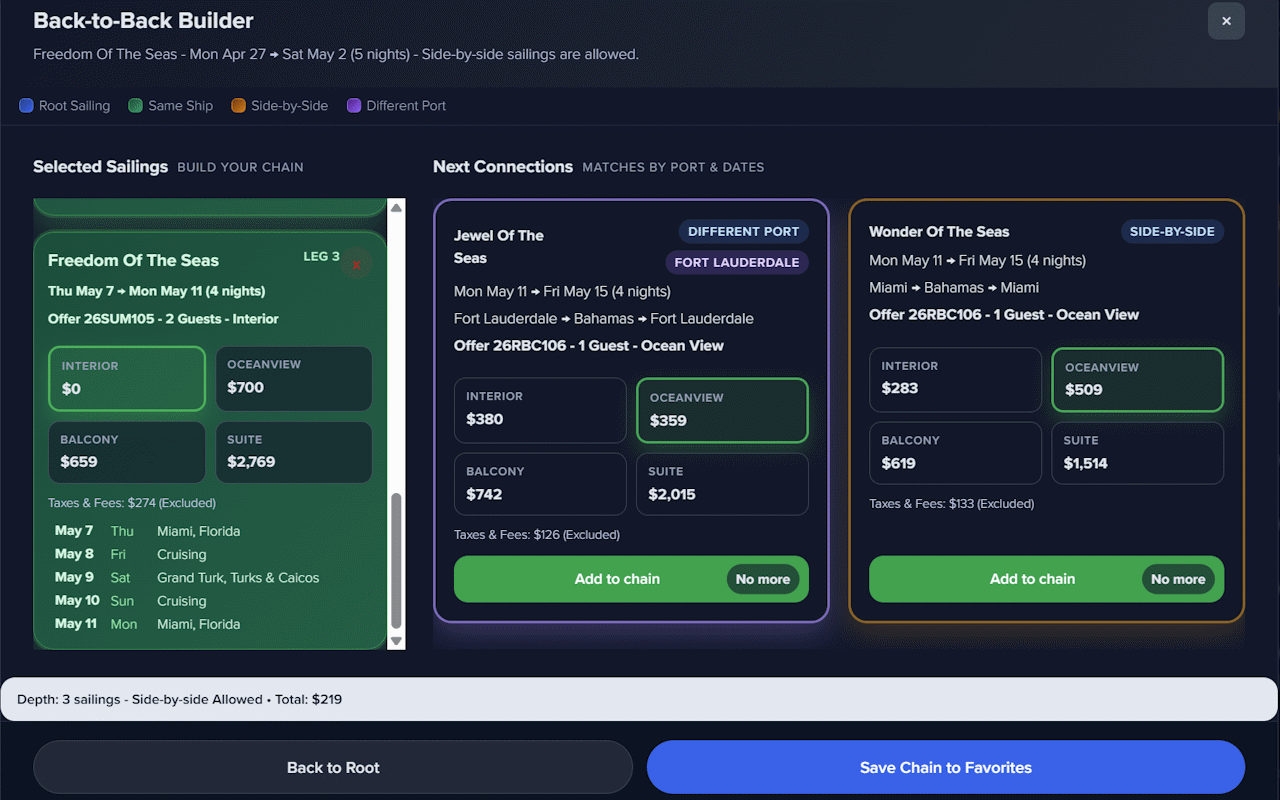
Link two profiles for Combined Offers. Open itinerary popups for pricing detail and route context. Build B2B chains with the depth builder.

4

Save & Act

Star sailings for the Favorites tab. Export or copy filtered offers as CSV. Close the panel with the X or ESC — your data never leaves the page.


Features

Everything you need to find the best deal

Works on both Royal Caribbean Club Royale and Celebrity Blue Chip Club offer pages, on desktop and mobile.

📊

Sortable & Groupable Table

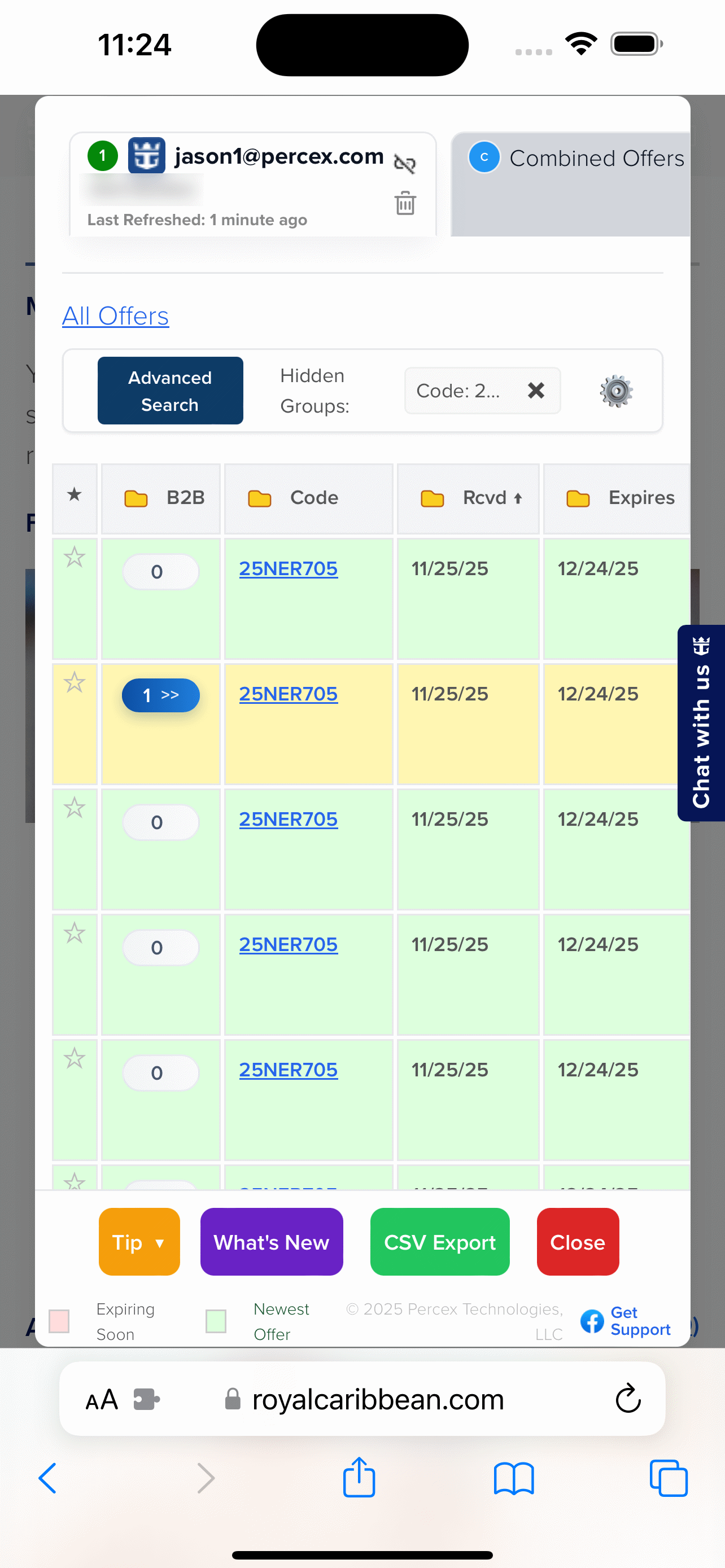
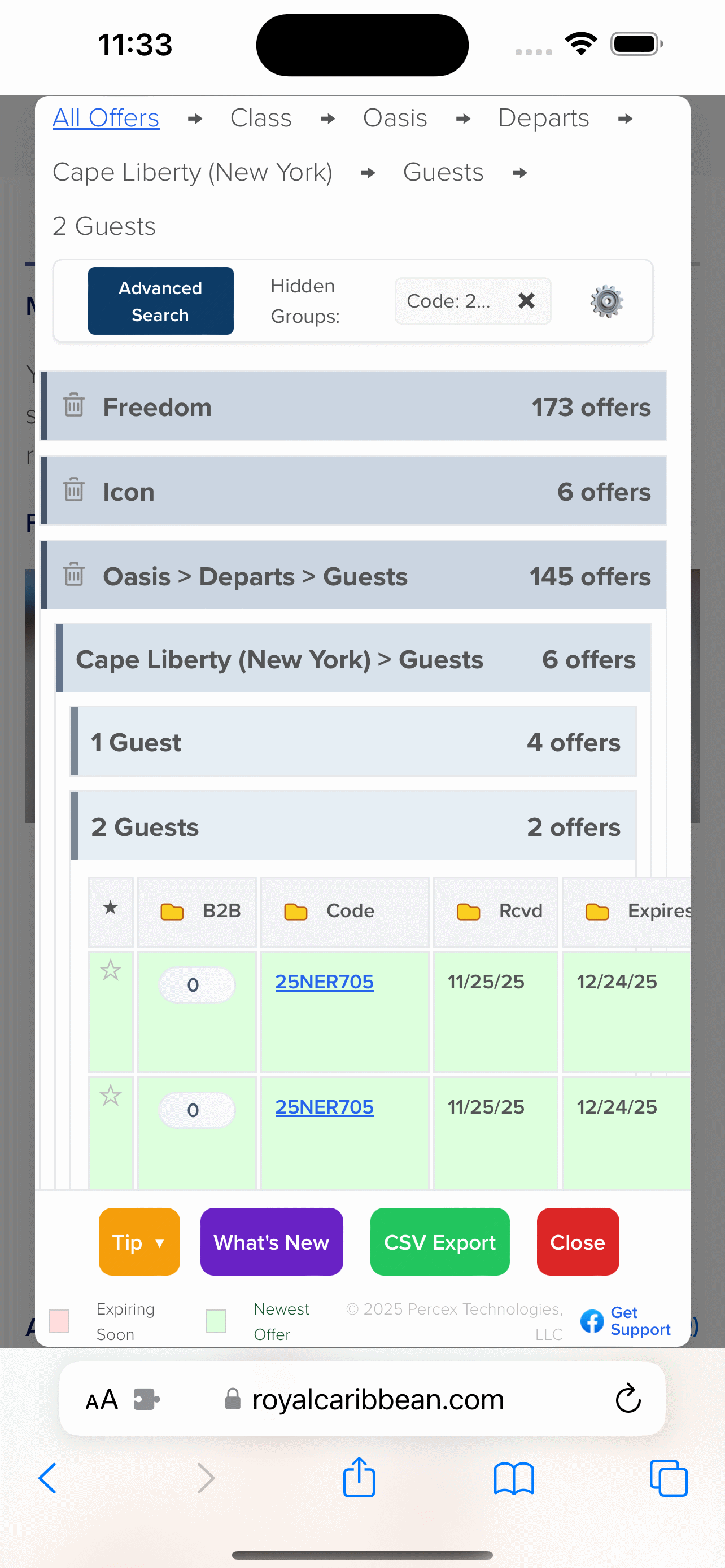
Three-state sort on any column. Group by ship, port, destination, code, guests, and more with yellow-icon group pickers.

👥

Multi-Profile Tabs

Each saved account gets its own tab with email, loyalty number, and last refresh timestamp. Permanent, stable profile IDs across sessions.

🔗

Profile Linking & Combined Offers

Link exactly two profiles with the chain icon to unlock a Combined Offers tab showing upgrade-ready overlaps across both accounts.

💲

Upgrade Pricing Columns

Interior, OV, Balcony, Suite, Trade-In Value, and Offer Value columns surface what you'd actually pay to move up — before you ever call in.

🔎

Advanced Search

Layer IN / NOT IN / CONTAINS / Date Range / Less than / Greater than predicates across any field. Commit as chips to apply instantly.

⛓️

Back-to-Back Builder

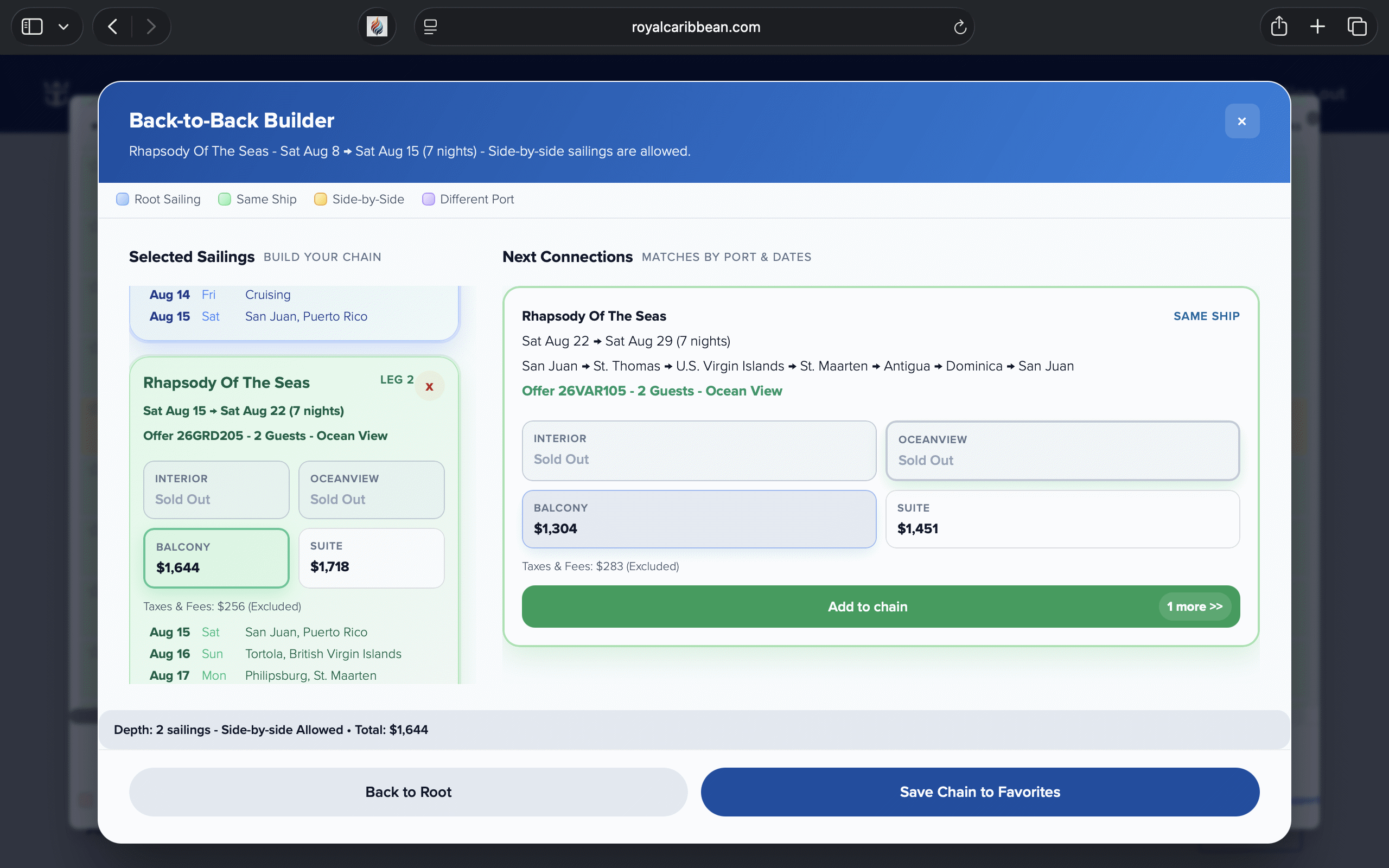
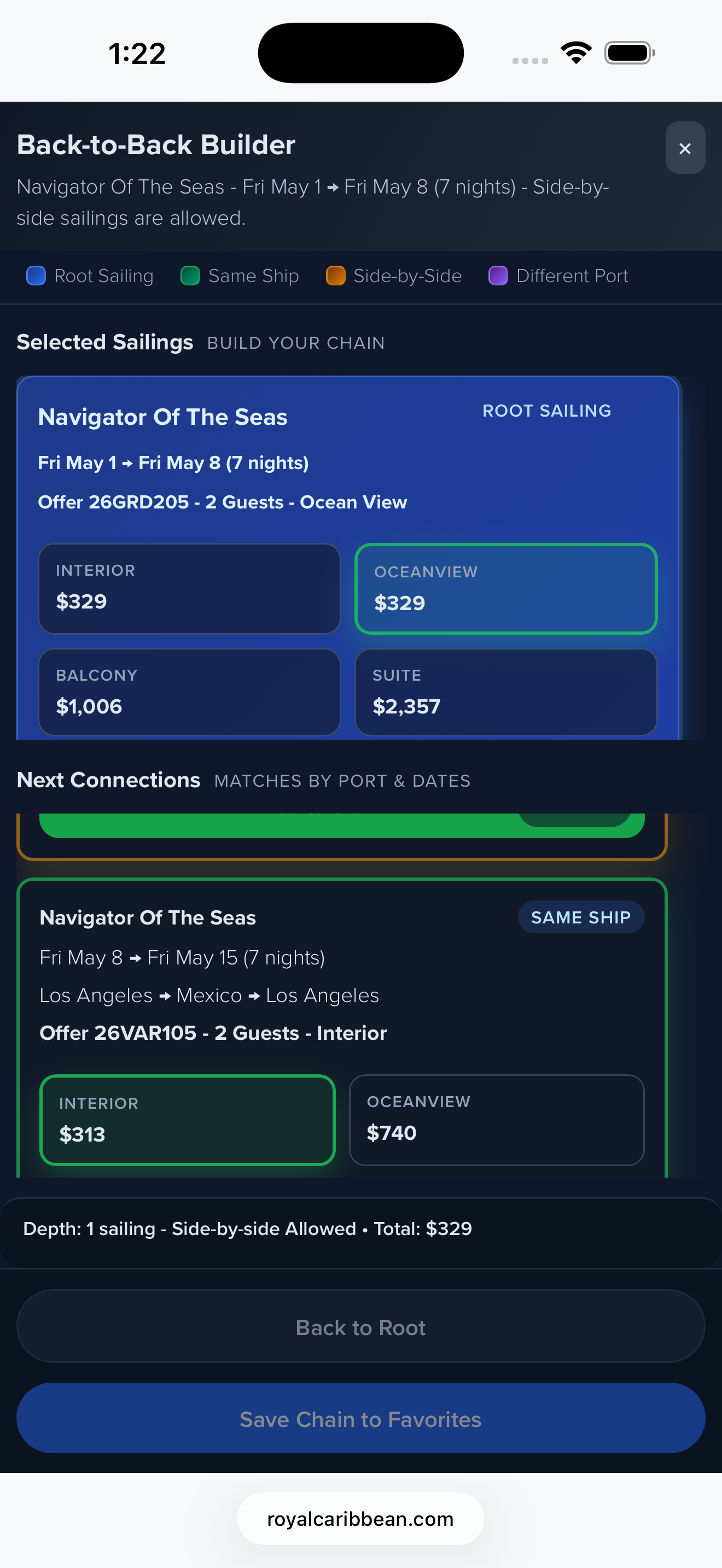
Auto-computes depth chains across your offers. Side-by-side driving range connects nearby ports. Save chains directly to Favorites.

Favorites Tab

Star individual sailings — they appear in a dedicated Favorites view with color badges per profile, persisting across sessions.

🗑️

Hidden Groups

Hide entire groups instantly with the trash icon. Unhide any time. Reduce noise and keep the table focused on what matters to you.

🌙

Dark Mode & Visible Columns

Toggle dark mode and hide/show table columns from the Settings gear. CSV export always includes every column regardless.

👤

Solo Booking Mode

Switch to single-guest taxes & fees in Settings so upgrade estimates reflect your actual cost as a solo traveler.

📤

CSV & Copy Export

Export or copy your filtered, sorted offer set — including source profile — as a CSV file for offline analysis or sharing.

🔒

Privacy First

No telemetry, no analytics, no external calls. All processing is local and ephemeral. We cannot see your data — ever.


Screenshots

See it in action

Real screenshots from browsers and mobile. What you see is what you get.


Install

Get started in seconds

Available on Chrome, Firefox, and Safari (macOS & iOS). Pick your platform below.

🧩
Chrome / Edge
Desktop — Chrome Web Store
  1. Click the button below to open the Chrome Web Store listing.
  2. Click Add to Chrome and confirm.
  3. Open the Club Royale or Celebrity offers page while signed in.
  4. Click Show All Offers to launch the panel.
Install for Chrome →
🦊
Firefox
Desktop & Android — Firefox Add-ons
  1. Click the button below to open the Firefox Add-ons page.
  2. Click Add to Firefox and confirm permissions.
  3. Open the Club Royale or Celebrity offers page while signed in.
  4. Click Show All Offers to launch the panel.
Install for Firefox →
🍎
Safari — Mac & iOS
Apple App Store
  1. Download from the Mac App Store link below.
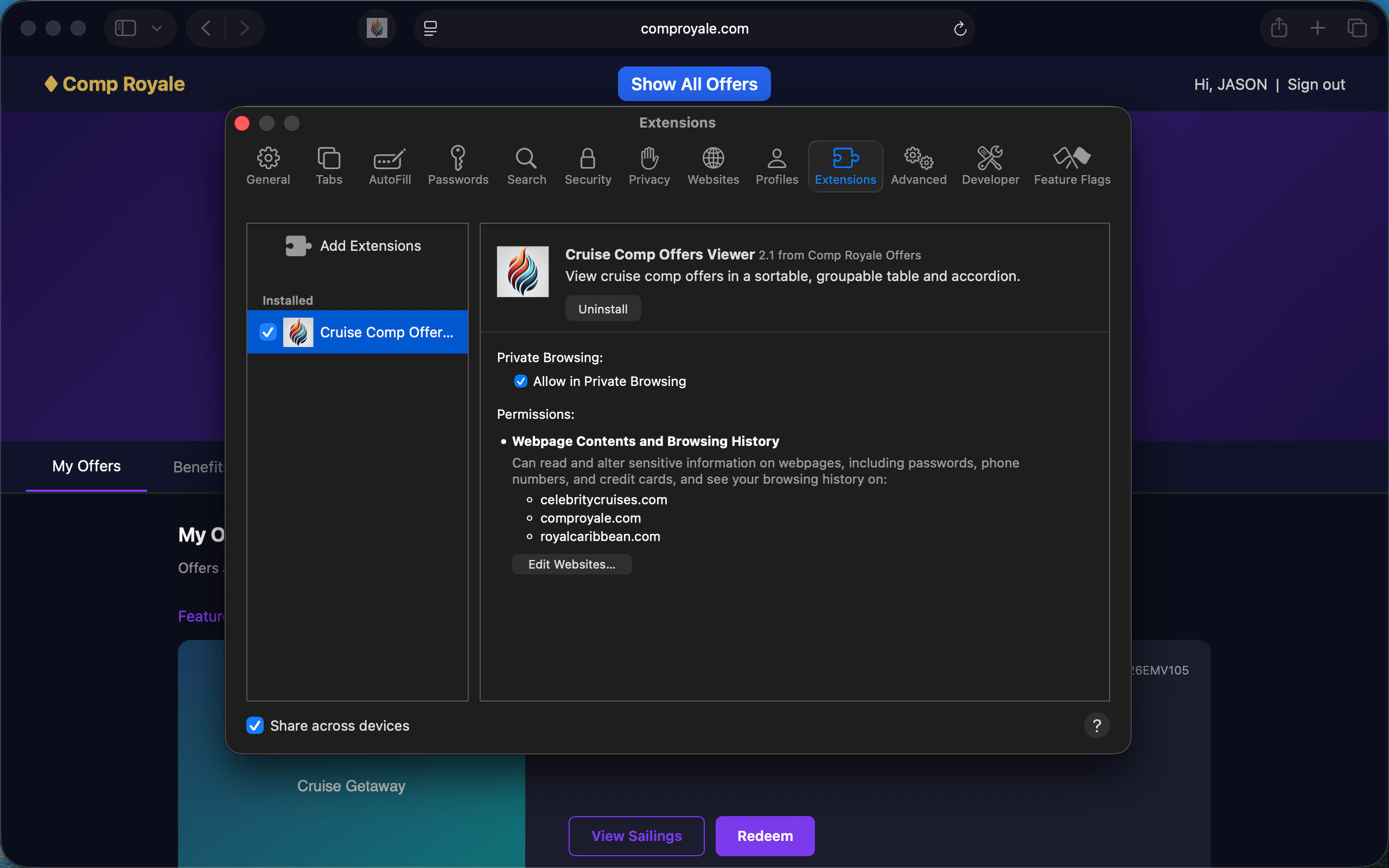
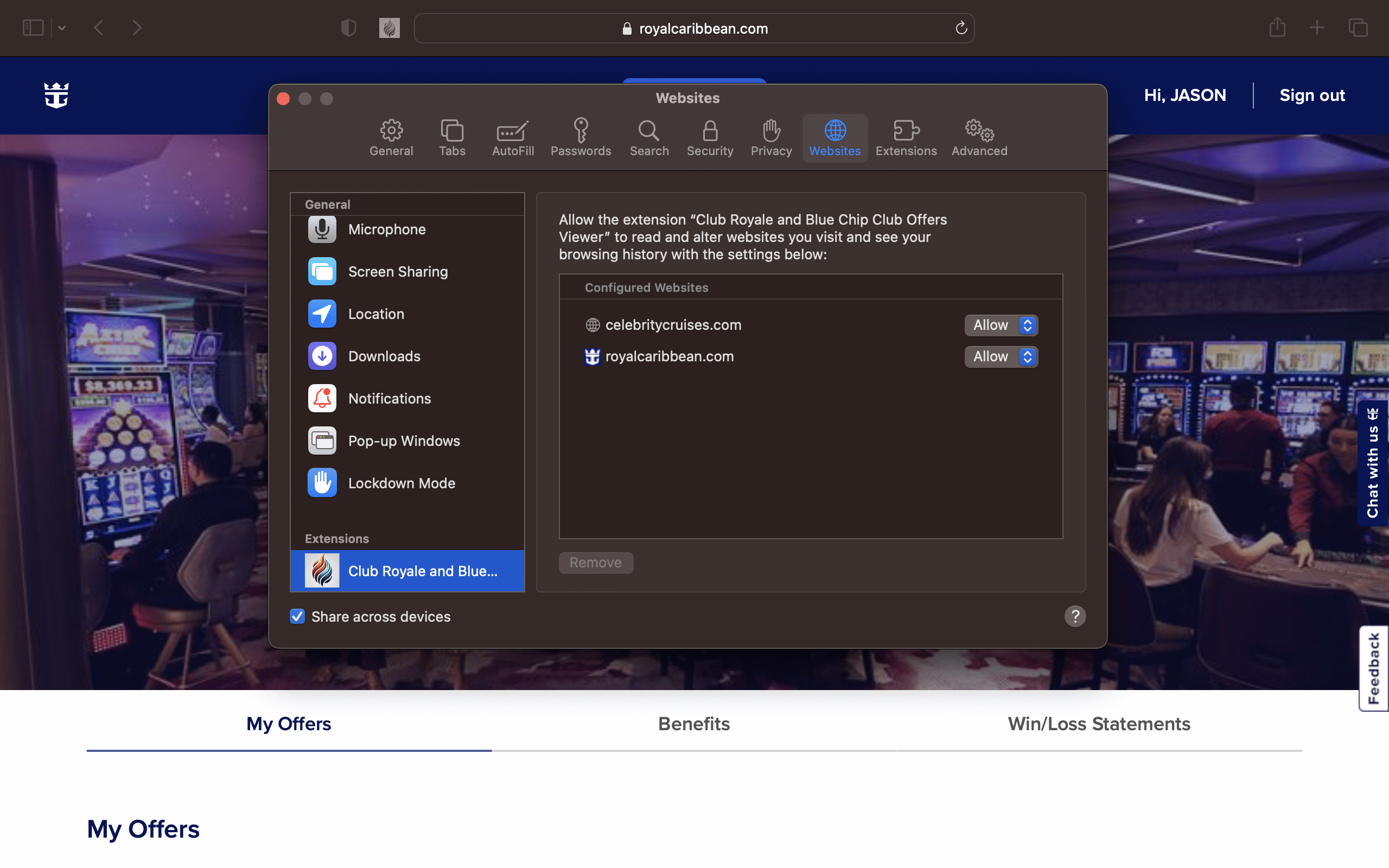
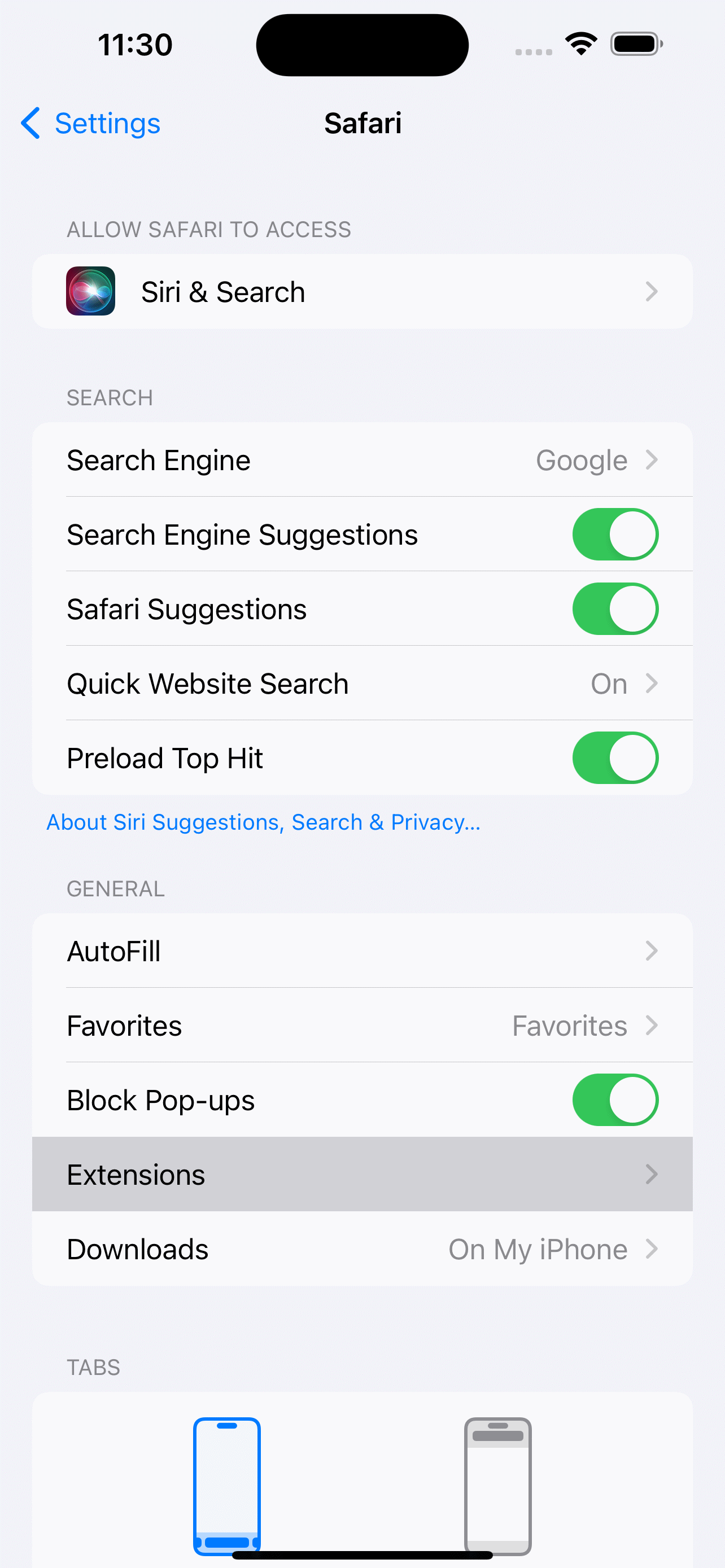
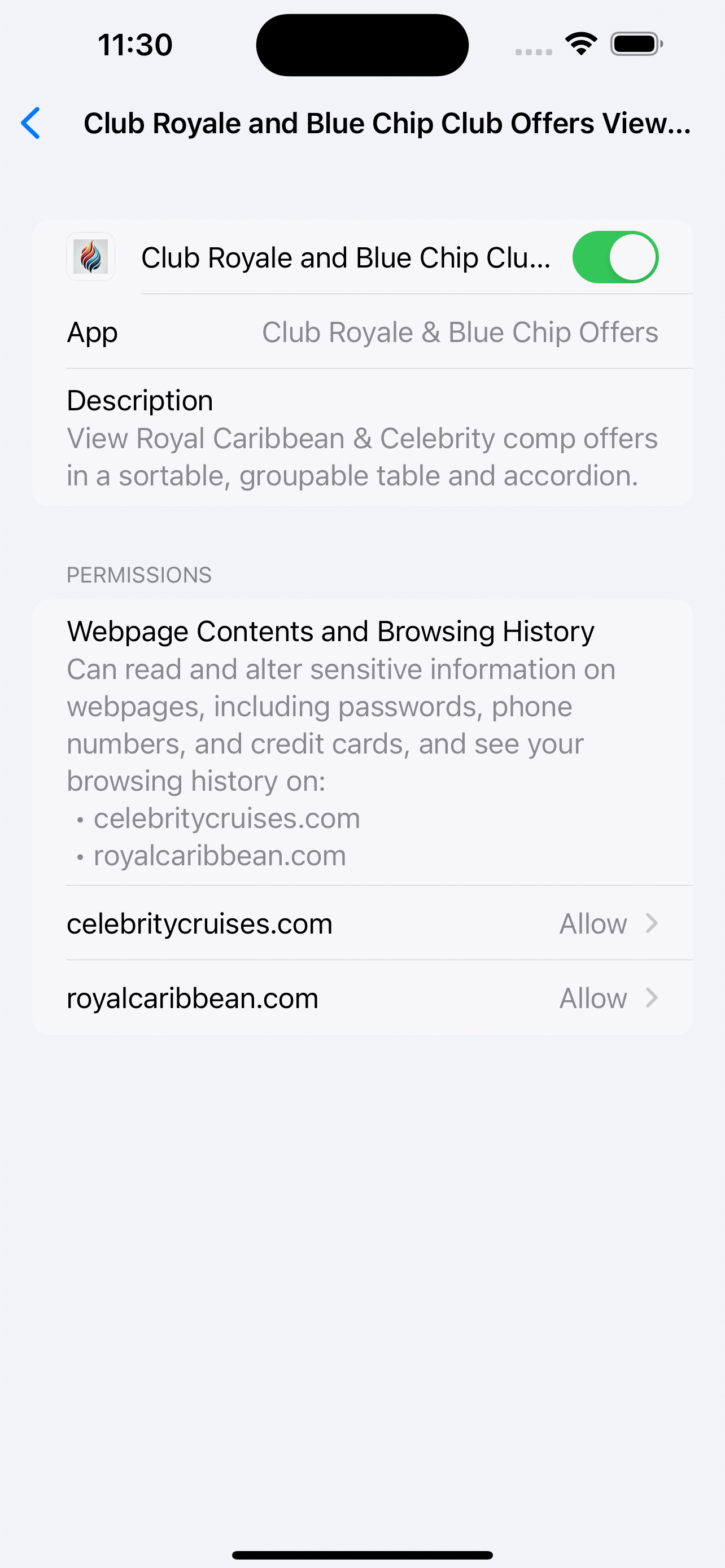
  2. Open Safari → Settings → Extensions and enable Comp Royale.
  3. Open the Club Royale or Celebrity offers page while signed in.
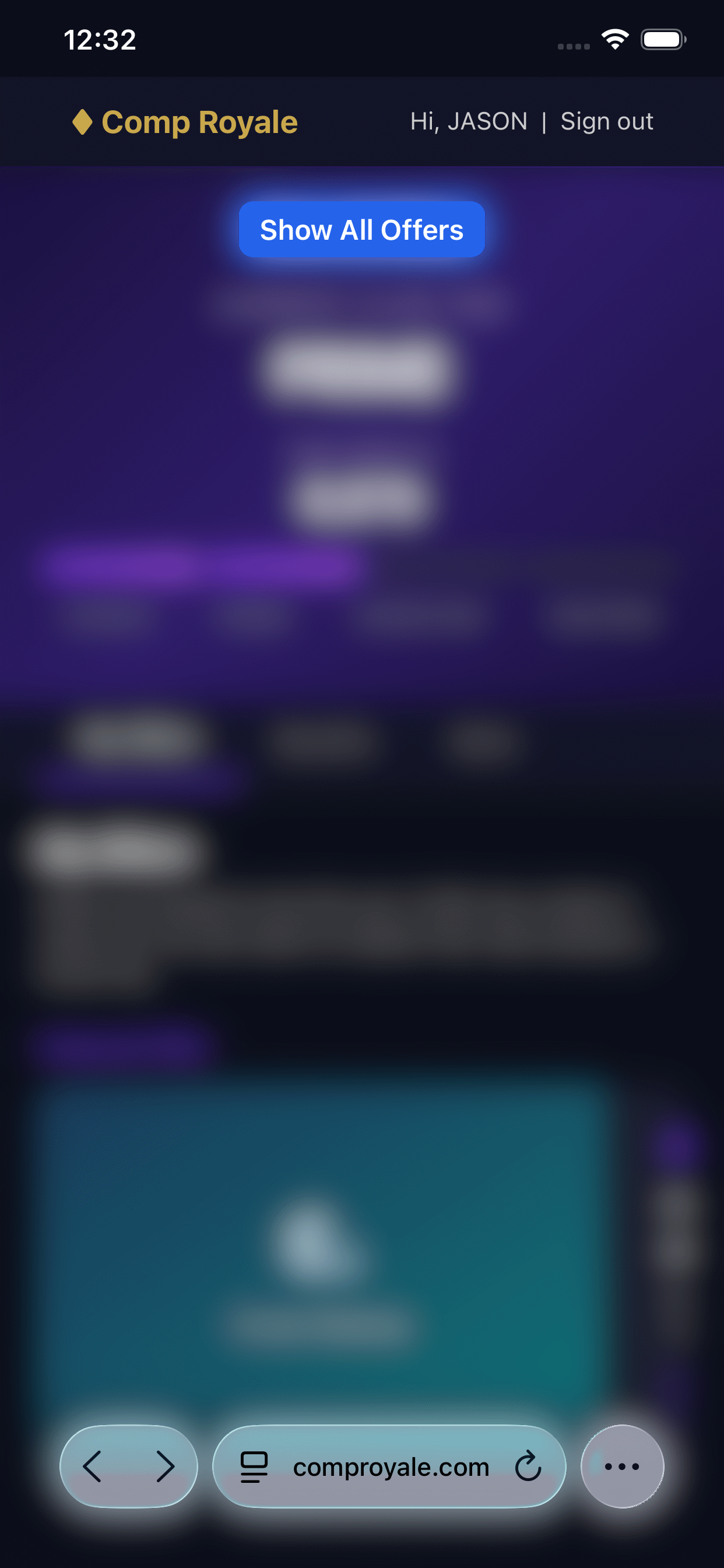
  4. Tap Show All Offers in the top bar to launch the panel.
Download on the App Store →

Need help? See the FAQ or email admin@comproyale.com.


FAQ

Quick answers

How do I link two profiles?

Load each account once with Show All Offers, then click the chain icon on each profile tab. The Combined Offers tab activates and shows the merged, upgrade-ready view.

What is Offer Value?

Estimated base cruise fare for the awarded category (dual occupancy) after subtracting taxes & fees. Used as the baseline for Balcony and Suite upgrade calculations.

How do I search by upgrade price?

Open Advanced Search, add a field like "Balcony Price", set operator to less than, and type your max budget. The filter applies instantly.

How does the B2B Builder work?

The builder labels each offer row with a depth number — the longest uninterrupted chain you can sail. Click the depth pill to open the builder, add connections, and save chains to Favorites.

Why is the table slow?

Hide large groups using the trash icon (group picker in column headers) and toggle off Auto-run B2B Calculations in Settings. Both dramatically reduce render time.

Does it work on mobile?

Yes — Safari on iPhone and iPad is fully supported via the App Store app. Firefox for Android works too. Chrome for Android is the only exception.

More in the full FAQ →


Release Notes

Version history

v2.1

Current Release

  • Dark Mode toggle in Settings
  • Visible Columns setting — hide/show table columns (CSV still exports all)
  • Interior, OV, Balcony, and Suite columns show estimated "You Pay" per category
  • Pricing Tooltips break down upgrade cost inside the itinerary popup
  • Solo Booking mode for single-guest taxes & fees
  • Side-by-Side Driving Range for same-day port connections in B2B Builder
  • Itinerary Refresh icon to reload and recalculate pricing on demand
  • Advanced Search price filters for Interior, OV, Balcony, and Suite estimates
v2.0

Major Feature Update

  • B2B Column shows the longest back-to-back (or side-by-side) chain
  • Back-to-Back Builder with depth indicators
  • Upgrade Price Search — filter by trade-up cost or minimum delta in Advanced Search
  • Date Range and numeric Less than / Greater than operators in Advanced Search
  • Computed filters for end date and day-of-week
  • Ports Visited "in" filter shows only available ports
  • Value column shows real offer value from pricing estimates
  • Itineraries display estimated "You Pay" for 1- and 2-guest offers
  • Separate Royal Caribbean and Celebrity profiles (fixes profile overwrite bug)
  • B2B chains can now be saved to Favorites
  • Stability and quality-of-life improvements
v1.5

Advanced Search & Value Columns

  • Advanced Search filter builder with auto-apply
  • Trade-In Value column
  • Itinerary detail links in Destination cells
  • Restored support/tip button (Ko-Fi / Venmo)
v1.4

Guided Tour

  • Added "What's New" in-app guided help tour
v1.3

Multi-Profile & Favorites

  • Multiple profiles with tabs (email, loyalty number, last refresh)
  • Profile Linking for Combined Offers
  • Offer codes hyperlink to original RCL email images
  • Trash icon to hide entire groups instantly
  • CSV export includes source profile column
  • Favorites tab with color badges, persists across sessions
  • Faster rendering and smoother UI updates
v1.2

Celebrity Support

  • Celebrity Cruises offers page support
  • Ship Class column
  • PDF links and Redeem button
  • TIER offer and excluded list handling
v1.0

Initial Release

  • Panel, table + accordion views, sorting, grouping, filtering, and CSV export
  • Perks column, nested filters (v1.1)

Privacy

Your data never leaves your browser

🔒

Zero Tracking. Zero Telemetry.

The extension only reads the HTML and API responses already delivered to your offers page while you're signed in. It transmits no credentials, no tokens, no analytics, and no profile data anywhere. All processing is local and ephemeral. Optional tip links open third-party sites in a new tab — that's it. Disable the extension any time; it sleeps when the offers page is closed.

Read the full Privacy Policy →