Download Cruise Offers Viewer
Click the button below to download the ZIP file.
If your browser blocks direct installation of ZIP files, save the file and follow your browser's developer extension install instructions.
Manual install instructions
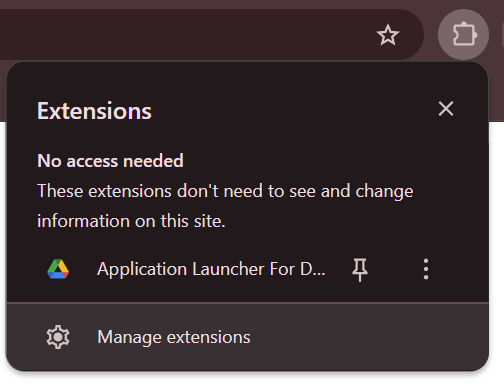
- In Chrome, go to Manage Extensions:
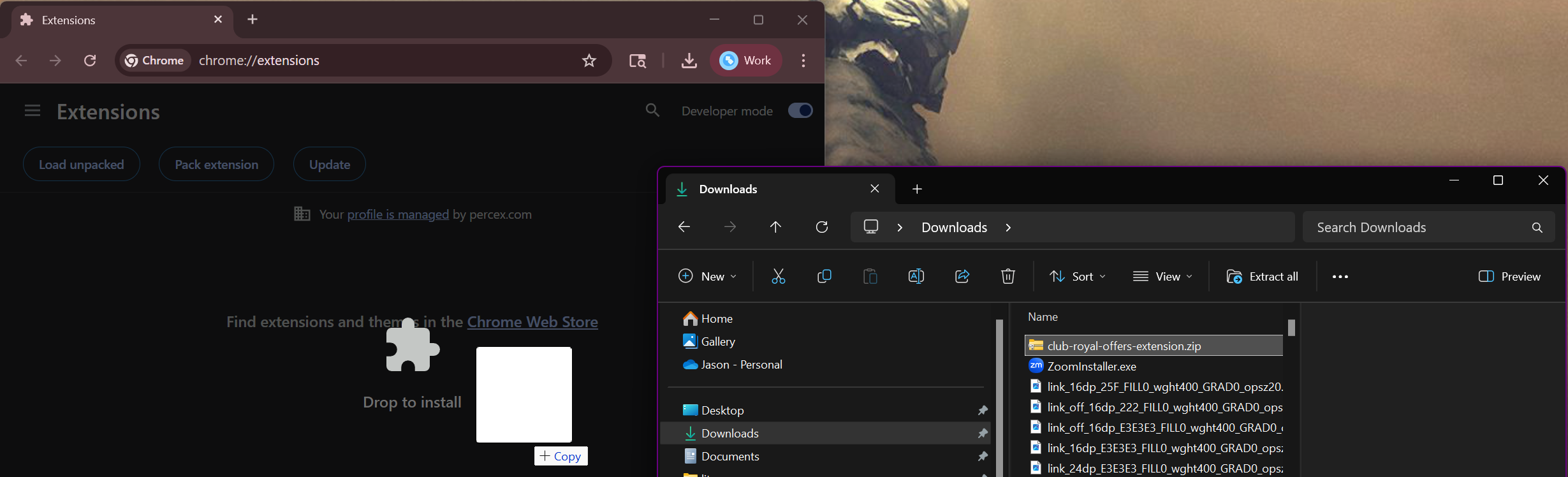
- Enable "Developer Mode".

- Then, simply drag the downloaded ZIP file onto this extensions page:
You should also disable the old version of the extension while you're here.